Speed
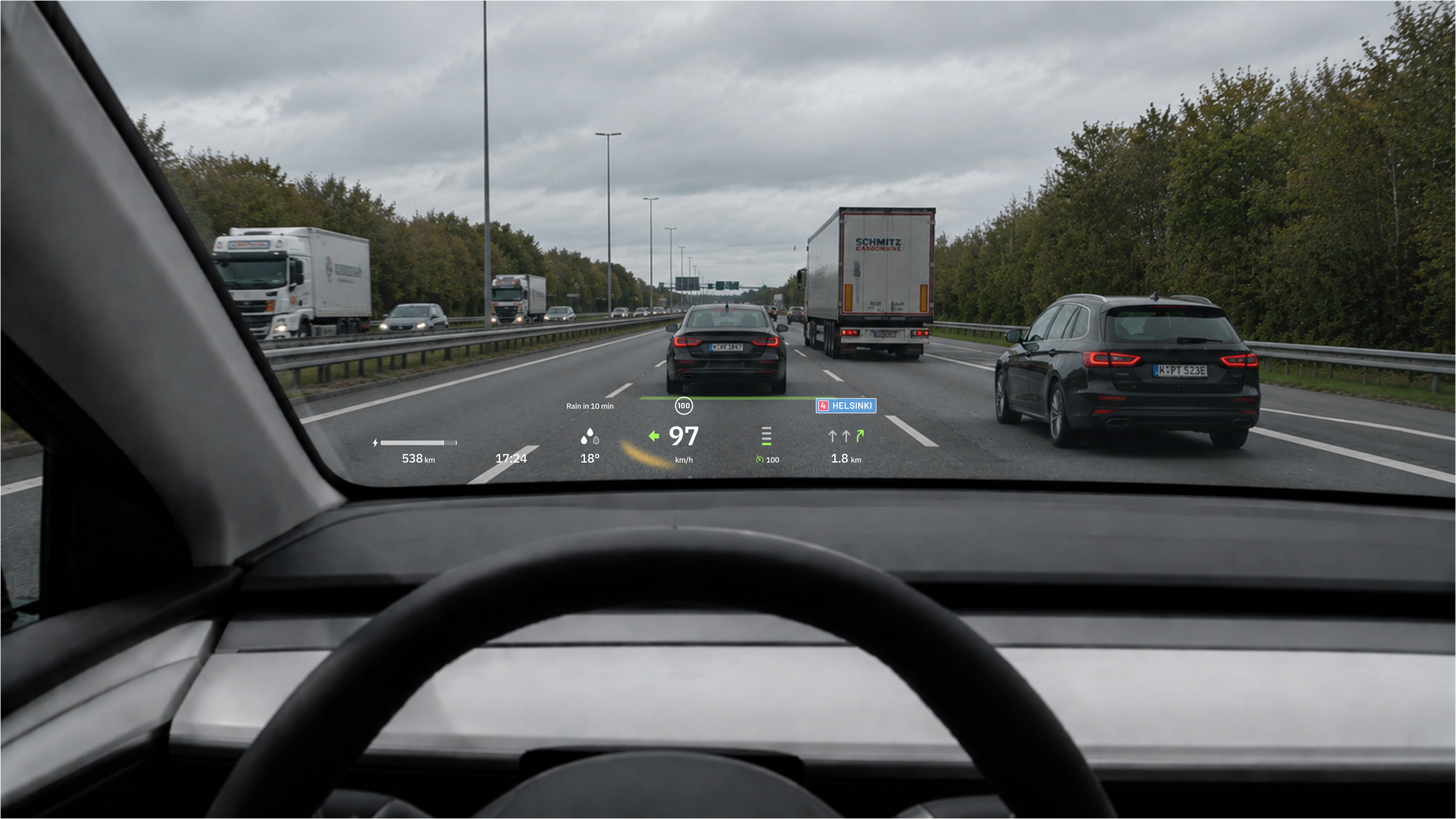
Shows the vehicle's current speed.
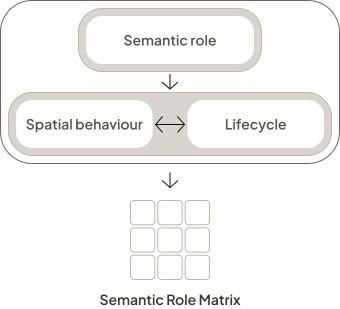
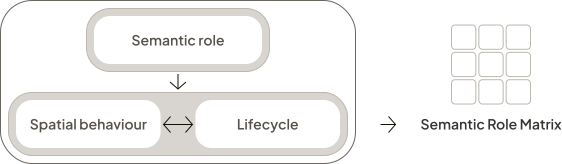
The RBL Framework defines three dimensions of every UI element: semantic role, spatial behaviour, and lifecycle. Together, they describe why a UI element exists, how it relates to the user and environment, and when it appears.
Semantic role comes first because it establishes the element's meaning and purpose. From there, spatial behaviour and lifecycle are designed together, often informing one another.
UI elements are then mapped into the Semantic Role Matrix, creating a structured overview that informs the design of the spatial interface.
Why:
In spatial interfaces, all information competes for the user's attention, affecting cognitive load and comfort. Before deciding where an element appears or how it behaves, designers should first understand why it exists.
Semantic role is made up of two properties: context and consequence level. Together, they provide the foundation for designing the element's spatial behaviour and lifecycle.
Context describes what the UI element is about. The framework defines three contexts: Shell, Task, and World.
Relates to the system’s state and configuration.
Supports the user’s task without being tied to the system or the physical location.
Depends contextually on a location, object, or feature in the physical environment.
Consequence level describes how much priority a UI element should have. It influences how prominently the element should appear, how easily it should be accessible, and how strongly it should compete for attention.
Consequence level is dynamic. During its lifecycle, an element can move along the scale as circumstances change. Changes in proximity, system state, incoming information, or user activity can all increase or reduce an element's consequence level.
Consequence level also shapes how an element communicates. UI elements may use visual, auditory, or haptic modalities, either individually or in combination. As consequence level changes, the emphasis between them may shift accordingly.
The framework treats modalities as attributes of a UI element rather than as a separate framework dimension. They complement the semantic role by supporting how information is communicated.
Semantic role helps designers make consistent decisions throughout the design process.
How:
Spatial behaviour describes how a UI element exists in space through its spatial anchoring, which establishes what it is positioned relative to, and its adaptive behaviours, which determine how it responds to changes in the user's position or activity, the environment, or the situation.
Spatial anchoring defines what a UI element is positioned relative to, or stays attached to. The framework defines three anchoring types: World, Entity, and User.
Anchored to a fixed location in the environment.
Anchored to a movable object or living being.
Anchored to the user.
Adaptive behaviours determine how a UI element adjusts relative to the user. Their primary purpose is to maintain usability by preserving visibility, readability, and access while supporting the element’s semantic role.
Rotates to maintain readability from the user’s viewpoint.
Adjusts size to preserve visibility and readability at different distances.
Moves to remain accessible while reducing unnecessary user effort.
Avoids being hidden or causing obstruction, considering environmental and social cues.
Spatial behaviour helps ensure that UI remains accessible, readable, and appropriate throughout the user’s interaction.
When:
Lifecycle consists of trigger, which determines what causes the element to appear, and duration, which defines how long it remains available. Like spatial behaviour, lifecycle is informed by semantic role, and the two often influence one another.
Trigger defines what causes a UI element to appear. The framework defines three trigger types: Always-on, On-demand, and Contextual.
Available throughout the experience.
Opened or revealed by the user.
Appears automatically in response to events or changing conditions.
Duration describes how long a UI element remains available. The framework defines three duration types: Persistent, Transient, and Blocking.
Remains visible until conditions change or the user dismisses it.
Disappears automatically after a short time.
Prevents other interactions until dismissed.
Lifecycle helps ensure that UI appears only when needed, reducing unnecessary distraction while supporting the user's current task.
Putting it together
Once semantic role, spatial behaviour, and lifecycle have been defined, they can be combined into a structured description of a UI element. These descriptions document design decisions, make them easier to communicate, and provide the building blocks for the Semantic Role Matrix.

Shows the vehicle's current speed.
Draws attention to a detected hazard using coordinated visual, auditory, and haptic cues.
Consequence level adjusts to the severity of the hazard.
Visual and auditory cues are directional.
Active while the hazard is present.
Marks the location of the next manoeuvre.
Consequence level increases as the manoeuvre approaches.
Active until the manoeuvre is made.
Shows the selected adaptive cruise follow distance projected onto the road.
Visible while ACC is active.
Mapping UI elements
The examples above described four UI elements individually, each with its own semantic role, spatial behaviour, and lifecycle. The Semantic Role Matrix brings them together, showing how they relate to each other and to the rest of the interface at once.
This shift from element to system matters because priorities are relative. An element's consequence level only means something in relation to what else is competing for attention at the same time. The matrix makes that comparison visible.
High consequence
Shell
Task
World
Medium consequence
Shell
Task
World
Low consequence
Shell
Task
World
Shell UI relates to the system's state and configuration.
Task UI supports the current task without being tied to the system or the physical location.
World UI depends contextually on something in the physical environment.
The previously described UI elements are now shown in the context of the complete interface. Switch between application states to compare how UI priorities change.
Greyed-out UI elements are disabled or hidden in the current state.
The Semantic Role Matrix helps designers evaluate the interface as a complete system rather than as individual UI elements.